
Pilot logbook for iPhone and Android
Your pilot logbook, digitised.
Record every flight in seconds, see your totals at a glance, stay on top of your recency and export a print-ready logbook whenever you need it.
Launching soon on iPhone, with Android to follow.
Everything your paper logbook does, and more
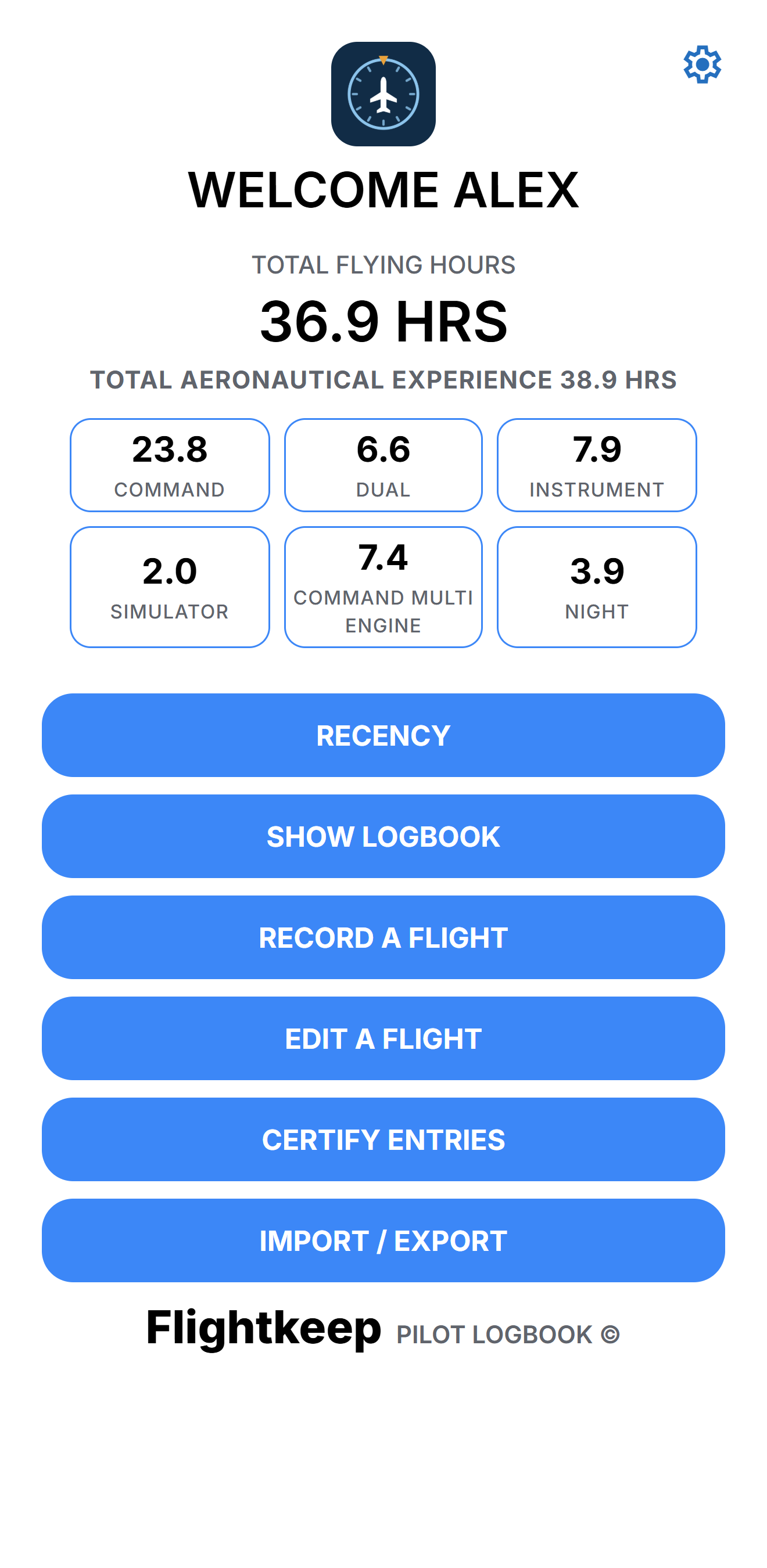
Built around the logbook layout pilots already know, with the totals and checks that are tedious to do by hand.
Every column, covered
Single engine, multi engine and gas turbine hours as ICUS, dual and command, day and night, plus co-pilot, instrument, sim and approaches.
Recency, worked out
See what's current against the CASA Part 61 rules, what you still need, and the date each one expires.
Print-ready PDF
Export an A4 logbook with matching two-page spreads, page totals, brought forward and totals to date.
Certify on screen
Select flights, add the certifier's name and ARN, and sign on a full-screen signature pad.
Backed up automatically
Every change is copied to a private folder in your own Google Drive, ready to restore on a new phone.
Bring your history
Import your existing logbook from a SMART Aviation CSV export or a Google Sheet.
Getting started
You'll be logging flights in a couple of minutes.
Download Flightkeep
Get Flightkeep from the App Store on your iPhone, or from Google Play on Android once it's available.
Sign in with Google
Sign in with your Google account. This connects your own Google Drive, so your logbook is backed up from day one.
Bring your history
Optional: import your existing logbook from a SMART Aviation CSV export or a Google Sheet.
Record your first flight
Tap Record a Flight. Your totals, hours breakdown and recency update straight away.
A Google account is required
Flightkeep uses your Google account to sign you in and to keep your logbook backed up in your own Google Drive, with no Flightkeep servers in between. Any free Google account works, including Gmail. Don't have one? Create a free Google account.
Log a flight in seconds
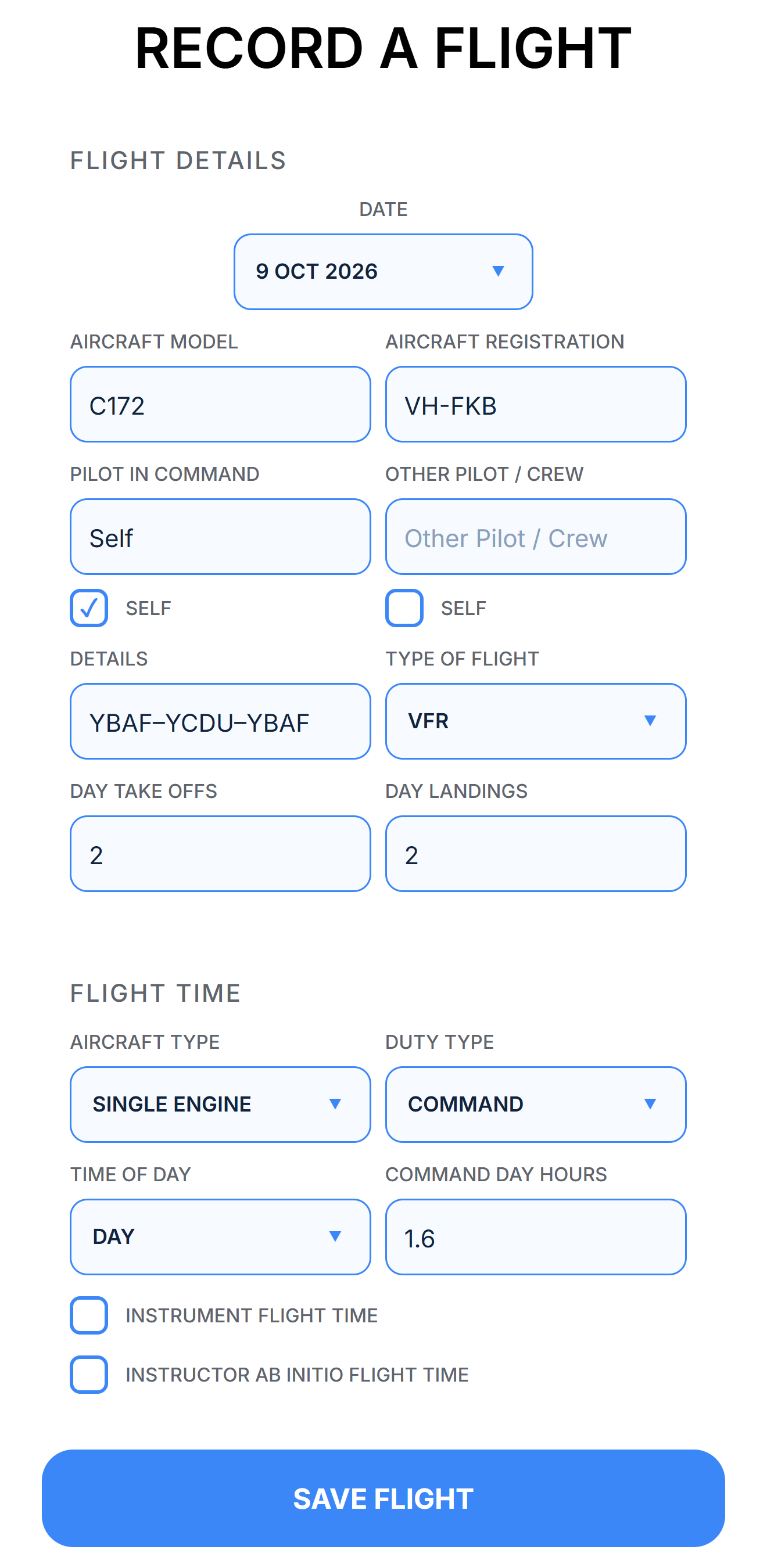
Pick the date, enter the aircraft and route, and choose the aircraft type, duty and time of day. Flightkeep puts the hours in the right column for you.
- Day and night take-offs and landings
- 2D azimuth guidance, 2D CDI and 3D approaches
- IFR recency flights and specialist instruction
Know when you're current
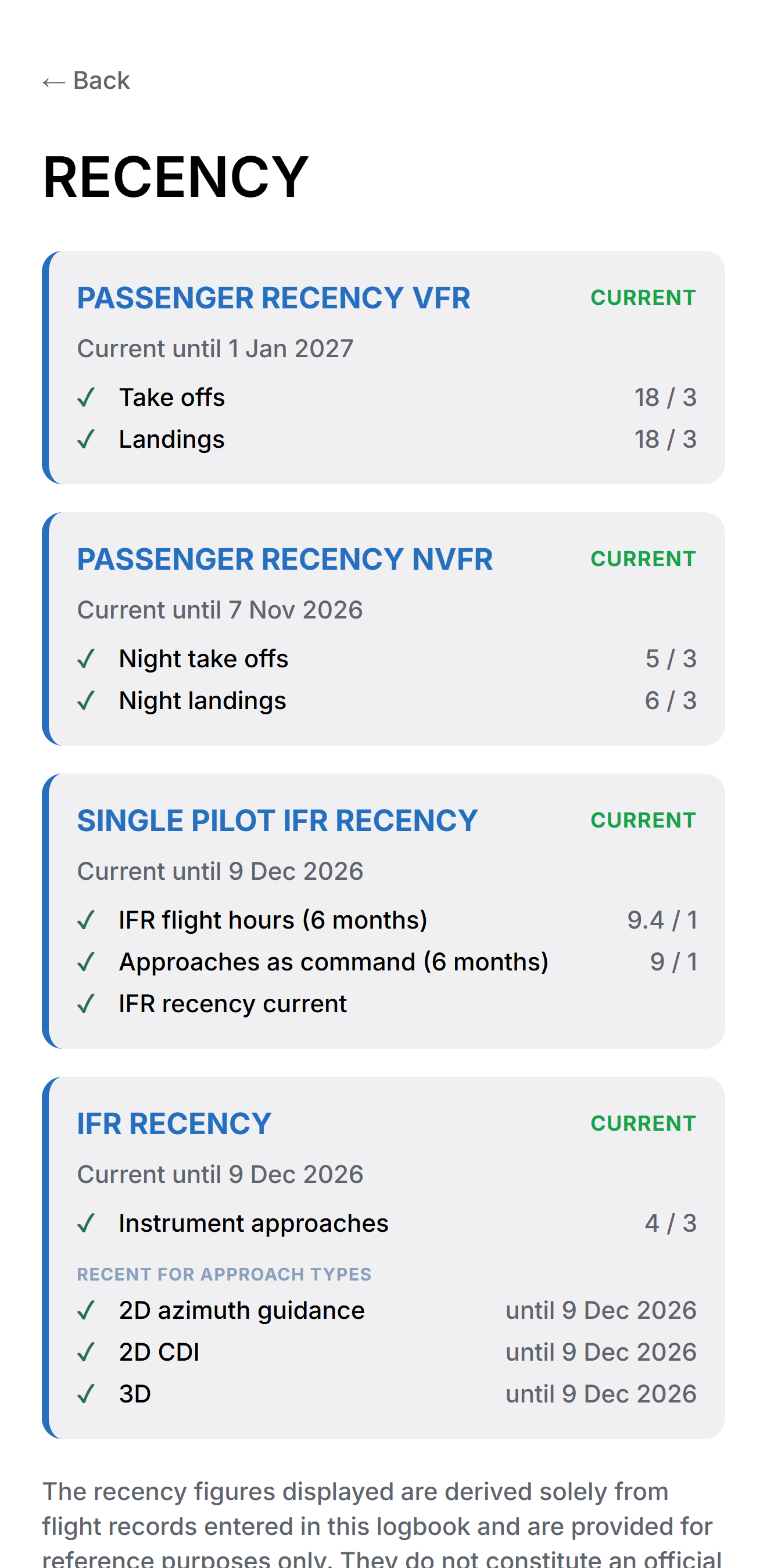
Flightkeep checks your logged flights against the CASA Part 61 recency rules and shows exactly when each one runs out.
- Passenger carrying, day and night (90 days)
- IFR recency, including each approach type (90 days)
- Single pilot IFR (6 months)
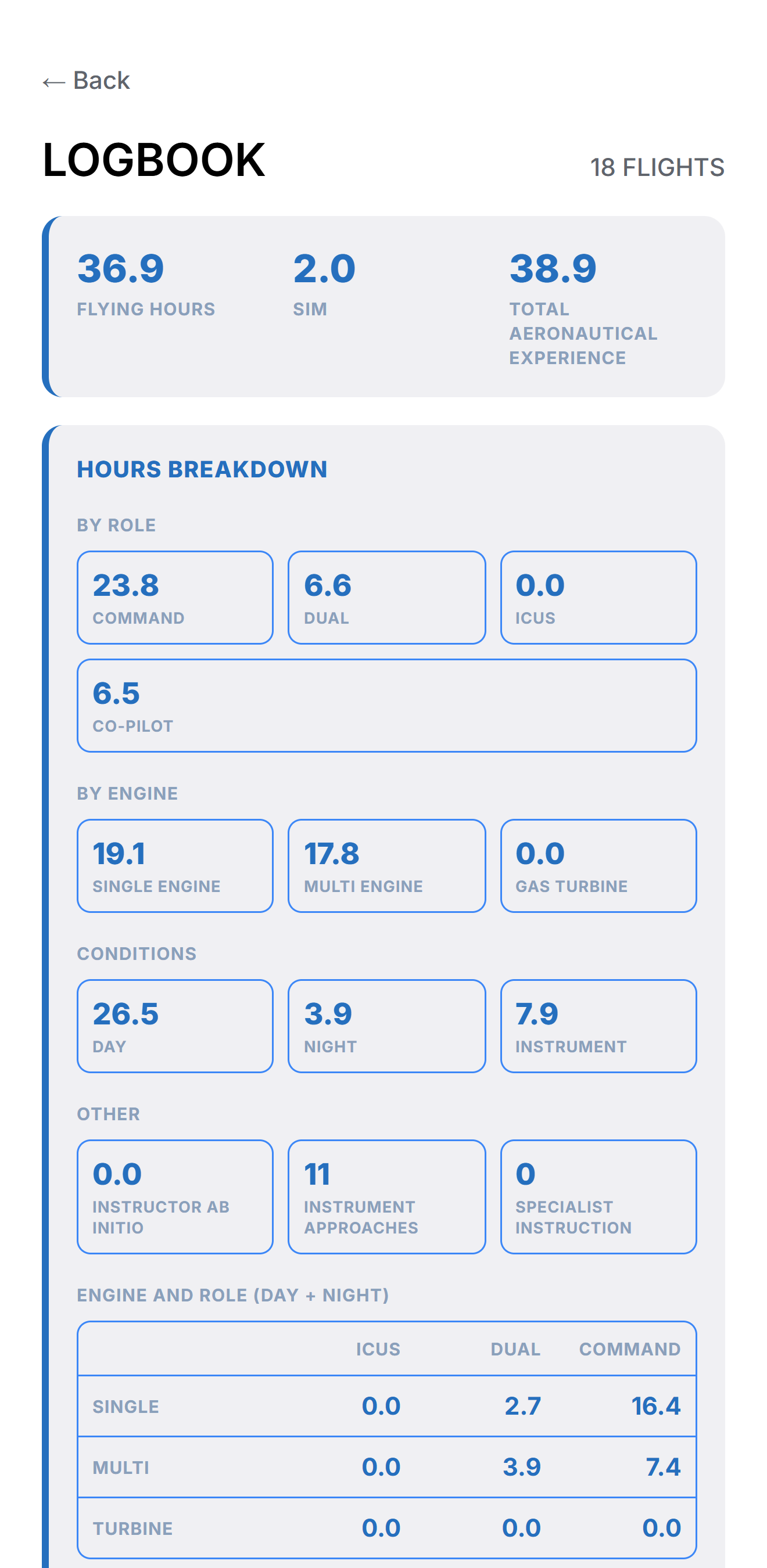
Your hours, your way
Your total flying hours and total aeronautical experience are always on show. Choose which other totals appear on your dashboard and in your logbook's hours breakdown.
- Command, dual, ICUS and co-pilot
- Single engine, multi engine and gas turbine
- Day, night and instrument


A print-ready logbook, anytime
Export your whole logbook as an A4 PDF laid out like a paper logbook. Save it to your phone, share it, or send it straight to Google Drive.
- Flight details and flight time on matching spreads
- Page totals, brought forward and totals to date
- A certification block on every spread
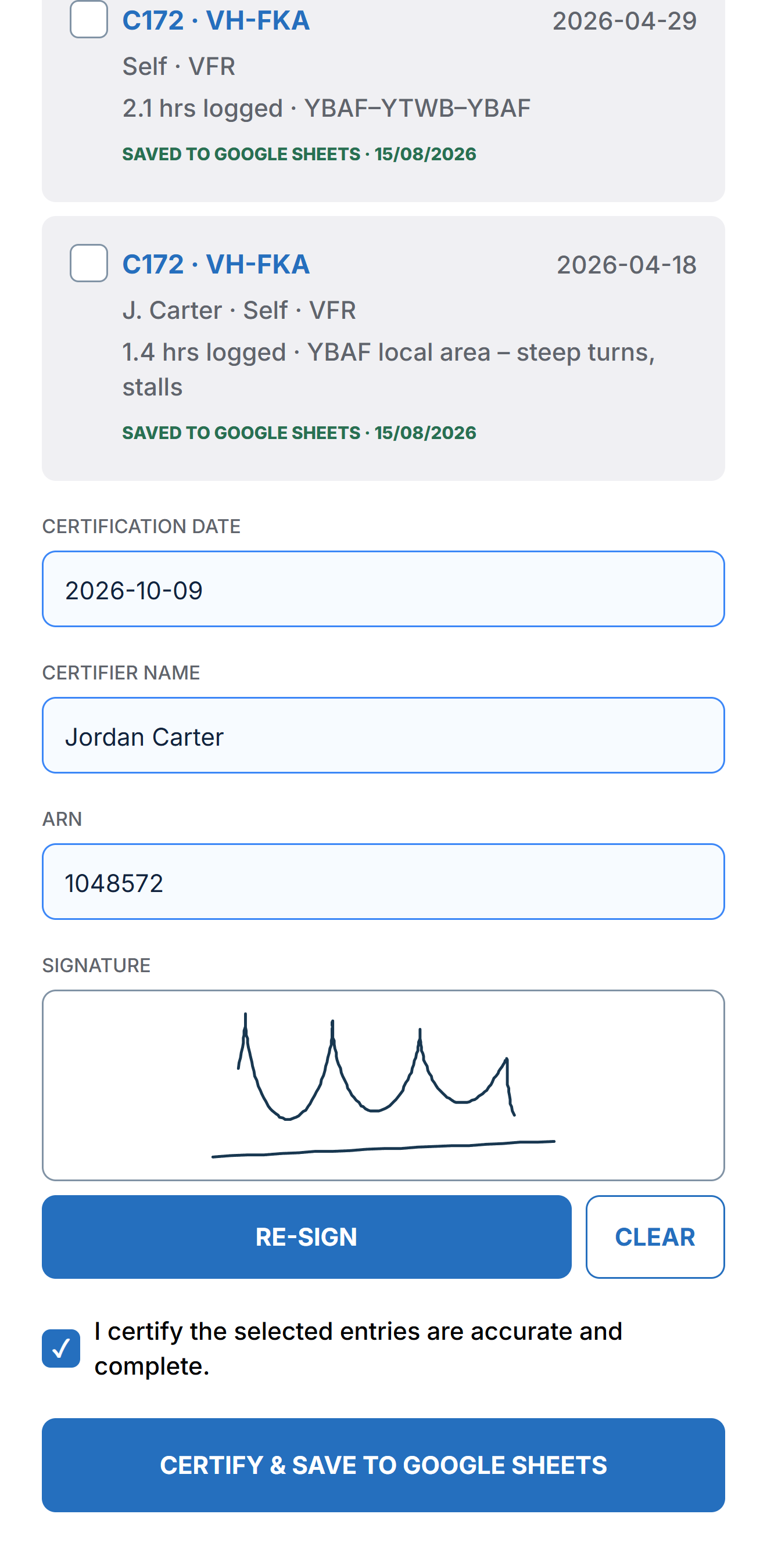
Certify with a signature
Select the flights to certify, enter the certifier's name, ARN and date, and sign on a full-screen pad. The certification is saved to your Google Sheets and the entries are locked.
Your logbook stays yours
Flightkeep has no servers of its own holding your flights.
On your phone
Your logbook is stored on your device, so it works anywhere, even with no signal at the airfield.
In your Google Drive
Backups go to a private Flightkeep folder in your own Google Drive. Only you, signed in to Flightkeep, can use it.
No ads, no tracking
Flightkeep doesn't show ads, sell data or use analytics trackers. Read the privacy policy.
Questions about Flightkeep?
Find answers about backups, restoring, recency and more, or get in touch.
Visit support